
A lot of Canadian teams struggle with legal holds. But consider how many things someone needs to do after issuing a legal hold:
-
Track acknowledgements
-
Follow up with nonresponsive custodians
-
Updated changing employee information
-
Answer status questions
-
Document every step
All of that might seem reasonable, but add in manual tools and disconnected workflows, as well as volume increases, and it’s easy to see how overwhelming legal holds can be.
Repetitive high-stakes tasks should be where teams spend their time. Consistent and defensible processes allow them to concentrate on the exceptions and decisions that demand their attention.
Manual Legal Hold Work Creates Gaps in Visibility and Control
Fragmented technology is already a recognized concern for Canadian legal departments. In the Canadian In-House Counsel Report, 50% of respondents identified a lack of integration with other organizational technology as a barrier to legal technology adoption, second only to cost.
Legal holds can make that challenge especially visible. Without a centralized system, legal teams may find themselves:
-
Keeping a manual spreadsheet of holds and acknowledgements
-
Scouring inboxes for replies and status updates
-
Creating and recreating notices from scratch
-
Lacking quick visibility into acceptance status
-
Spending too much time compiling data and reporting across disparate systems
Tasks become harder to manage as holds, custodians, and matters increase. Plus, not every legal hold tool is part of a fully integrated platform, forcing teams to move information between separate systems for legal hold, preservation, collection, and eDiscovery. This is where a unified AI-powered platform like Casepoint thrives, reducing handoffs and giving teams a clearer view of the full matter.
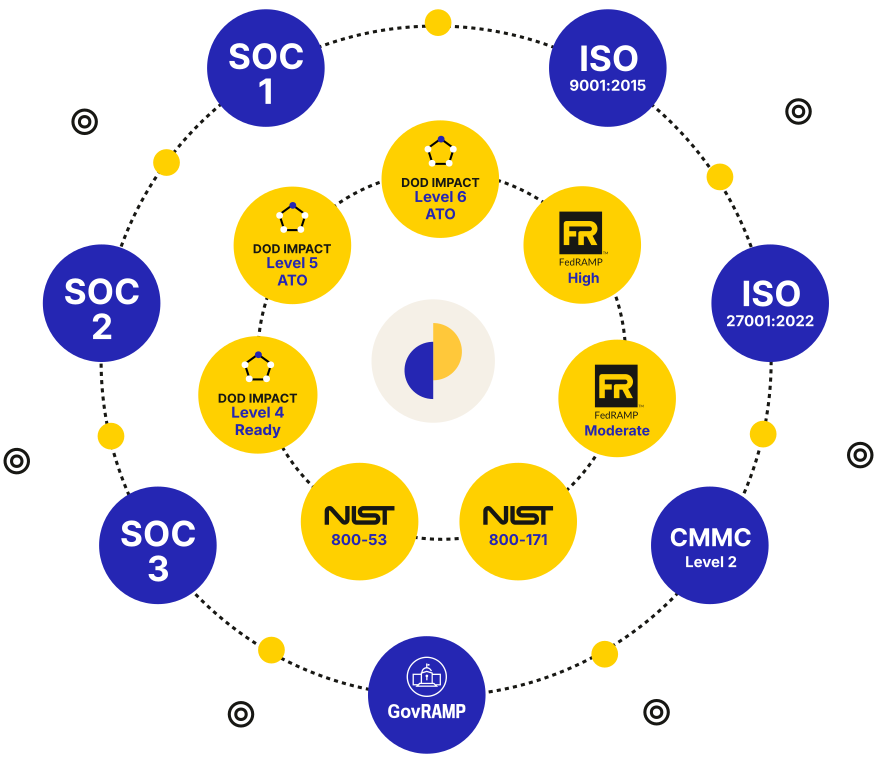
That integration is backed by a security posture aligned with globally recognized standards, including SOC 2 Type II and ISO 27001. Casepoint also meets some of the most demanding U.S. government security requirements. In Casepoint’s Legal Hold Technology Security Report, no other providers reviewed had FedRAMP® High, DOD IL5, or DOD IL6 authorization. Casepoint holds all three and is one of only six cloud providers in the world with IL6 authorization.
For Canadian organizations, that level of security maturity exceeds what is typically required in enterprise environments, while Canadian data residency options and robust security controls help protect sensitive legal information across legal hold, preservation, and discovery workflows.

Automate Follow-Up Without Losing Control
Once a hold is issued, much of the remaining work involves tracking responses and following up with custodians. Legal hold software can automate those repetitive steps while keeping exceptions and deadlines visible.
-
Configurable reminders and deadlines: Automatically send reminder emails to custodians who have not acknowledged a hold by a set deadline.
-
Automatic escalation to managers: Notify a custodian’s supervisor after a configured number of reminders or days without a response.
-
In-reminder acknowledgement: Allow custodians to acknowledge the hold directly from a reminder email instead of searching for the original notice.
-
Acknowledge on behalf: Record an acknowledgement for an unavailable custodian and add a note explaining the circumstances and any preservation steps taken.
-
Hold-by-hold flexibility: Set different reminder and escalation schedules based on the urgency, type, or managing attorney for each matter.
-
Defensible audit trails and timestamps: Maintain an exportable record of notices, reminders, acknowledgements, escalations, and notes.
These capabilities reduce manual follow-up. At the same time, legal teams receive a clearer and more defensible record of everything that happens, freeing their time.
Build a Repeatable Legal Hold Process
With Casepoint Legal Hold, teams can create a hold from a template, set reminder and escalation rules, and schedule status reports in less than five minutes. That kind of repeatable workflow helps legal teams move faster without sacrificing consistency or control.
-
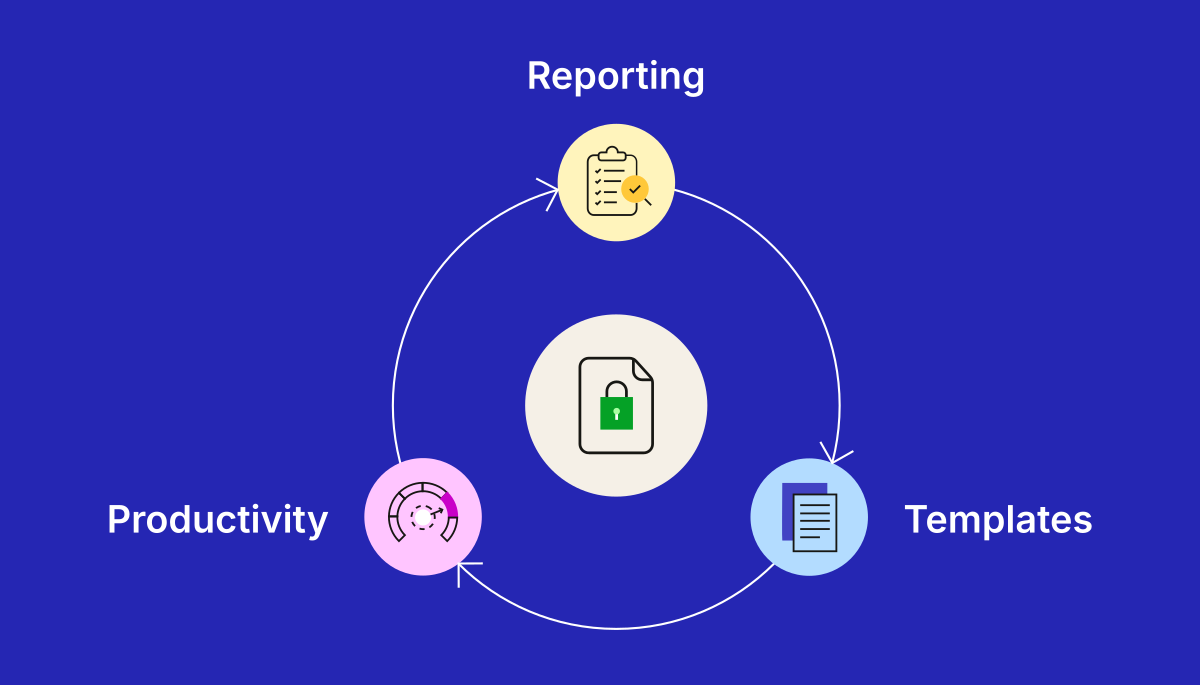
Reporting: Automated, scheduled reports show outstanding acknowledgements and highlight what has changed since the last update. Legal teams gain faster visibility into the process, face fewer ad hoc status requests, and maintain stronger evidence of their actions.
-
Templates: Reusable templates and autofill fields help teams create consistent holds without retyping notices. They speed deployment and make approved language easier to apply across matters.
-
Productivity: Bulk actions reduce repetitive work across larger matters. HR integrations keep custodian records current, while tools such as bulk acknowledgement and manager escalation help teams handle exceptions efficiently.

Author
Senior Account Executive, Canada
Zsuzsanna Karagiannis works with legal and corporate leaders across Canada to help modernize and future-proof their legal operations. She advises organizations on managing sensitive data and improving efficiency through secure, AI-powered technology. Zsuzsanna brings more than 15 years of experience in enterprise sales, strategic partnerships, and…
Categories:


